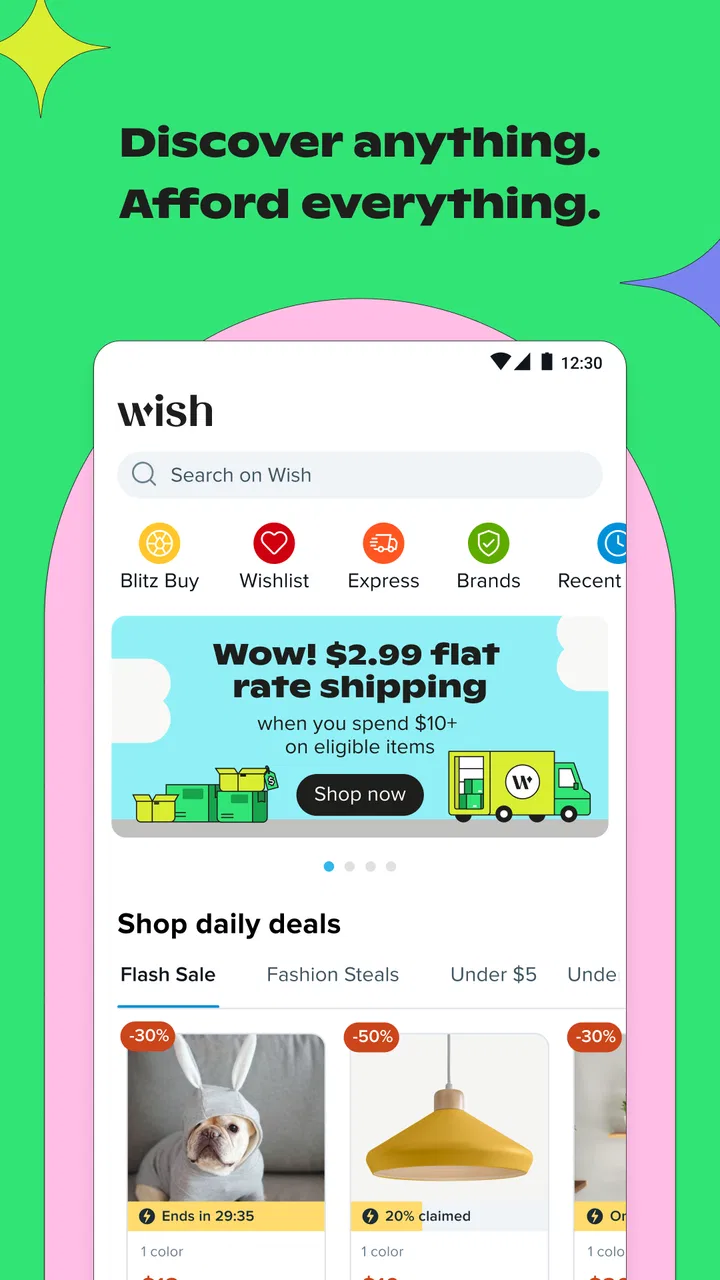
Wish: Shop and Save
- 4.7
- Rating
- 500.00M
- Installs
- Free
- Price

 Analysis by App-foxy
Shopping on a phone can feel convenient until a marketplace becomes crowded with unfamiliar products, changing delivery expectations, and listings that need careful reading. Wish: Shop and Save is built for browsing across home and life products, fashion, and electronics, with a free shopping app experience that is easy to start but rewards a patient approach. I found it most useful when I treated it as a discovery tool rather than a replacement for every local store or specialist retailer.
The app comes from Wish US Holdings LLC and has been available since July 26, 2012. It is rated for Teen users, runs on Android 7.0 or later, and its current version is 26.5.24. Its scale is hard to miss: it has passed 500 million installs, with a 4.7 average from around 14 million ratings and roughly 1.3 million written reviews. Those figures show broad adoption, but they do not remove the need to judge each listing on its own.
What to expect when you open Wish
My first impression was that Wish is designed around browsing. Instead of opening with a narrow, specialist catalogue, it puts a wide range of products in front of you. That makes it enjoyable when I have a vague idea such as “something useful for a small room” or “an inexpensive accessory,” but less efficient when I need a precise item immediately.
In-Depth Coverage of Wish: Shop and Save
The strongest part of the experience is the variety. Home and life items sit alongside clothing, accessories, and electronics, so one session can move from storage ideas to phone accessories without requiring a separate shopping app. That variety is also the main source of friction: the more options I saw, the more important it became to slow down and inspect the listing rather than choosing from the first attractive image.
I would describe the app as a marketplace for comparison and discovery. It can help you find unusual designs, small household additions, fashion pieces, and simple electronic accessories that may not appear in a nearby shop. It is not the choice I would make for an urgent purchase, a high-stakes electronic device, or anything where exact specifications and immediate support matter more than browsing range.
The free price makes experimenting straightforward, and the Teen content rating gives families a useful general age reference. Still, “free” refers to getting the app, not to the products inside it. The real decision begins on each product page, where the item, seller information, delivery details, available options, and total checkout cost deserve attention.
Who will get the most from it
I think Wish suits shoppers who enjoy exploring and are comfortable comparing several listings before committing. It is particularly handy for low-cost accessories, decorative items, small organizers, gift ideas, and fashion browsing when you are willing to accept that the exact experience can vary from one product to another.
It is less suitable for someone who wants a short, highly filtered catalogue. If you already know the exact model of a device, a specialist retailer may present clearer technical information. If you need an item tomorrow, a local shop or a retailer with a dependable fast-delivery service is usually the safer route. Wish can be useful in those situations only when timing is flexible and the item is not essential.
Setting up without making the process harder
After installing the app, I recommend beginning with the smallest amount of information needed to browse comfortably. Do not rush into building a large shopping list just because the catalogue is full. First decide what kind of session you are having: casual discovery, a specific search, or a comparison between several possible purchases.
For a first-time user, a specific but not overly narrow search works best. Searching for a broad idea such as “storage” may produce too much to evaluate, while searching for a precise phrase that assumes one exact product name may hide useful alternatives. I normally begin with the item’s purpose, then refine by material, size, colour, or compatibility as those details become important.
Before saving anything, I look at the product images from more than one angle and read the description slowly. A photo can make two items appear similar even when their dimensions, included pieces, or intended use differ. This is one of the most important habits on Wish: treat the listing details as part of the product, not as optional fine print.
I also check the selectable options before judging the listing. Clothing may have several sizes or colours, while an accessory may have different versions for different devices. The image shown first is not always the exact combination you intend to buy. Selecting the correct variation before adding the item helps prevent a frustrating mismatch later.
My practical setup advice is to keep a short comparison list rather than filling the cart immediately. Save a few candidates, then return to compare their descriptions, images, user feedback, delivery information, and final cost. This workflow is more reliable than reacting to every attractive product card as it appears.
Turning browsing into a first successful purchase
A meaningful first success does not need to be an ambitious order. I would start with a non-urgent item whose size and function are easy to understand, such as a simple household accessory or a basic decorative piece. That gives you a chance to learn how the app presents product information and order progress without making your first decision depend on complicated specifications.
Imagine that you want a small desk organizer for a home workspace. I would search for the general type of organizer, open several listings, and compare the stated dimensions with the space on the desk. Then I would check which compartments are actually included, select the intended colour or version, and review the checkout total. The important step is not finding the most eye-catching picture; it is confirming that the item will perform the job you have in mind.
You May Also Like

 Lords Mobile: Kingdom Wars
Lords Mobile Is a Kingdom-Building Routine, Not a Quick Match
A case-by-case verdict on the building, battles, device demands, and social commitments that make Lords Mobile rewarding for some players and exhausting for others.

 PDF Scanner app - TapScanner
TapScanner Makes Paperwork Easier to Capture, Check, and Share
TapScanner makes scanning with a phone feel less like a rescue operation and more like a dependable step in getting work done. Its capture tools are useful, though not flawless.

 Block Blast!
Block Blast! Shows How Much a Puzzle Game Can Leave Out
A quiet grid game shows why puzzle players increasingly value instant clarity, repeatable skill and low-pressure play—and where the genre still needs to catch up.

 Family Space
Family Space Review: A Shared Routine That Makes Family Life Easier
A parenting app earns its place not by adding more noise, but by making everyday coordination easier. Family Space gets that balance mostly right.

 1Weather Forecasts & Radar
1Weather Forecasts & Radar Makes the Daily Check Worthwhile
A good forecast does more than predict rain. This week's pick turns changing conditions into a clear, practical reason to check before you step outside.

 Clash of Clans
Clash of Clans Makes Patience Part of the Strategy
A village builder with a sharp tactical core, Clash of Clans turns patience into momentum and each raid into a small, satisfying act of judgment.
More From Our News Desk
View All News


For fashion, I would be even more deliberate. I would compare the size information with a garment that already fits rather than relying on a familiar letter size alone. I would also inspect the fabric description and product photos for clues about shape and finish. This takes longer than impulse browsing, but it makes the first order more predictable.
For electronics, my threshold is higher. I would verify connector type, compatibility, included parts, and the stated specifications before considering a purchase. A low-cost accessory can still be useless if it does not fit your phone, laptop, charger, or other equipment. When the listing leaves you uncertain about a technical requirement, I would skip it instead of hoping the product image tells the whole story.
Once I have chosen an item, I review the order summary as if I were checking a paper receipt. I look for the selected variation, quantity, delivery information, and total amount. This simple pause is a useful safeguard because marketplace purchases often go wrong through an overlooked option rather than through the initial search.
How I read listings, reviews, and delivery information
The large number of ratings can create confidence, but I do not use the overall score as my only filter. I focus on recent-looking feedback, comments that mention the exact variation, and photos that show the item outside the polished product presentation. A review about one colour or size may not describe another version accurately.
I also separate complaints about the product from complaints about expectations. If people repeatedly say that an organizer is smaller than expected, I compare the stated dimensions with a ruler or a familiar object at home. If clothing feedback mentions a different fit from the model photo, I treat the sizing information as more important than the promotional image.
Delivery is another area where patience matters. I would not place an order through Wish while planning around a tight deadline unless the displayed delivery information gives me enough room for delay. For a birthday, trip, repair, or work requirement, I prefer an alternative with a clearer immediate fulfilment path. Wish makes more sense when the purchase is useful but not urgent.
One less obvious habit is to calculate the value of the complete purchase, not just the appealing item price. A bargain is only useful if the final amount still feels reasonable after any applicable delivery charge and if the item solves the problem well enough. I ask myself whether I would still choose it if the product card looked less exciting. That question helps separate genuine usefulness from impulse.
Common confusion for new shoppers
The first common confusion is assuming that similar pictures mean identical products. On a broad marketplace, visual similarity is not enough. A cable, case, lamp, storage box, or clothing item can differ in size, connector, material, or included accessories even when the thumbnails look nearly interchangeable.
The second is reading a high rating as a guarantee. I see the rating as a starting signal, not a substitute for inspection. The written reviews are more valuable when they answer a question that matters to me: Does the item fit the stated purpose? Is the size understandable? Does the selected version match the photos? Are there repeated issues that I would find unacceptable?
A third point is the difference between browsing and buying. Wish is very good at encouraging discovery, so it is easy to collect items without deciding whether they belong in your home. I use a “purpose test”: if I cannot explain where I will use the item and what problem it solves, I leave it out of the order.
Another source of uncertainty is expectation management around quality. A low price may be attractive, but I would not assume premium materials, refined finishing, or the same consistency I expect from a specialist brand. For decorative objects and simple accessories, that trade-off may be perfectly acceptable. For equipment that must last, protect something valuable, or meet exact performance requirements, I would choose a more specialized seller.
If an order does not meet expectations, I would begin by reviewing the order details and the listing so I can describe the issue clearly. Keeping the product variation and the original description in mind makes any support or return conversation more precise. I would also avoid discarding packaging until I have checked the item properly, especially when the product is fragile or has several components.
Three useful workflows beyond casual scrolling
The first workflow is a “three-tab comparison” in spirit, even if you simply move between saved listings. Choose one item that looks best, one with the clearest specifications, and one with the most useful customer photos. Comparing those different strengths often reveals that the most attractive listing is not the most practical choice.
The second is a measurement check for anything that occupies physical space. Before ordering a shelf accessory, container, mat, lamp, or organizer, measure the intended location and write the measurements down. Then compare them with the listing. This small step is more valuable than another minute of scrolling because it converts a vague product impression into a real fit decision.
The third is a compatibility checklist for electronics. I write down the device model, required connector, desired function, and any limitation that matters before searching. Then I reject listings that do not clearly address those points. This prevents the common mistake of buying an accessory because it looks right while overlooking a connector or version mismatch.
A fourth workflow is useful for gifts. I search early, shortlist items by the recipient’s actual habits, and choose something whose size, style, and purpose are easy to explain. I avoid relying on a last-minute order or selecting a technically complicated gift without enough time to verify its suitability. Wish can be fun for unusual gift discovery, but the flexible timing should be part of the plan.
How it compares with familiar shopping alternatives
Compared with a local store, Wish offers broader browsing from the sofa but less immediate certainty. A local shop lets me inspect an item, take it home at once, and ask questions face to face. Wish is better when I want more variety and can wait, while the local option wins for urgent needs and tactile decisions such as clothing feel or physical build quality.
Compared with a specialist electronics retailer, Wish is more appealing for browsing inexpensive accessories and less appealing for exact technical purchases. A specialist catalogue usually makes compatibility, specifications, warranties, and support easier to evaluate. I would use Wish for a simple accessory only after checking the details carefully, not as my default for important hardware.
Compared with a large general retailer, Wish can feel more exploratory and less predictable. A general retailer may be faster to navigate when I know the exact product, while Wish is more entertaining when I am looking for ideas. The trade-off is that Wish asks me to do more of the evaluation myself, especially around variations, measurements, delivery timing, and quality expectations.
Compared with fashion-focused apps, Wish has the advantage of mixing clothing with home goods and electronics, but that broad scope can make fashion decisions less focused. If fit, fabric, and easy returns are my top priorities, a dedicated clothing retailer may be a better match. If I want to browse styles alongside unrelated gift or household ideas, Wish feels more natural.
What I would do after the first order
After a first purchase, I would not immediately assume that every category will feel the same. I would note what mattered most in that transaction: accurate measurements, useful customer photos, clear variation names, or dependable delivery information. That personal checklist becomes more useful than a general score because it reflects the kind of items I actually buy.
I would also keep the app focused on purposeful browsing. The home and life section can help with small improvements around the house, fashion can support inexpensive experimentation with style, and electronics can be useful for straightforward accessories. The best results come when I match the category to an appropriate level of caution instead of treating every product as an equal bargain.
Wish is not the right choice for everyone. I would skip it if I needed guaranteed speed, highly standardized quality, detailed professional support, or a purchase that could cause serious inconvenience if it were unsuitable. I would also avoid buying simply because a product looks cheap. The app is strongest when I have time to compare and a clear idea of what “good enough” means for the item.
For a first-time user, my recommendation is simple: start small, measure what needs measuring, verify the exact variation, and read reviews for evidence rather than reassurance. Give yourself enough time for delivery and inspect the order before treating the experience as complete. With that mindset, the app becomes a practical place to discover affordable home, fashion, and electronics finds instead of an endless stream of tempting pictures.
Overall, I see Wish as a useful shopping companion for curious, careful buyers. Its free access, enormous reach, and broad catalogue make it easy to explore, while its marketplace nature means the quality of the experience depends heavily on the attention I bring to each listing. My advice is to use it for flexible, considered purchases—not urgent or highly technical ones. That is where the app feels most rewarding and where its strengths are easiest to enjoy.
FAQs for Wish: Shop and Save
01What is Wish, and how does it work?
Wish is an e-commerce platform that connects users with sellers offering a wide variety of products at discounted prices. Users can browse through categories such as fashion, gadgets, home decor, and more. Once items are selected, they can be purchased directly through the app. The platform focuses on providing affordable shopping options with a user-friendly interface.
02Is it safe to shop on Wish?
Shopping on Wish is generally safe, but users should exercise caution. The platform offers buyer protection policies, but it's important to check seller ratings, reviews, and product descriptions carefully. While many users have positive experiences, some report issues with product quality or shipping times. Paying attention to these details can help mitigate potential risks.
03How long does shipping take with Wish?
Shipping times on Wish can vary significantly depending on the seller’s location and the shipping method selected. Typically, items may take anywhere from two to four weeks to arrive, as many products are shipped from overseas. Users should review estimated delivery times provided in the app before purchasing to set realistic expectations.
04Are there any additional costs when shopping on Wish?
While Wish offers low-priced products, users should be aware of potential additional costs. Shipping fees can vary, and in some cases, there may be customs charges for international deliveries. It's important to review the total cost, including shipping and any applicable taxes, before finalizing a purchase to avoid unexpected expenses.
05Can I return items purchased on Wish?
Yes, Wish has a return policy that allows users to request a refund or replacement for items that are not as described or defective. The return process typically requires contacting customer service within 30 days of delivery. Users should keep in mind that return shipping costs may apply, and not all items may be eligible for return. It's advisable to review the specific return policy for each seller.
Pros
- Wide variety of products available.
- Affordable prices on most items.
- Easy-to-use interface for browsing.
- Regular discounts and promotions.
- Secure payment options offered.
Cons
- Long shipping times for many items.
- Quality of products can be inconsistent.
- Customer service response can be slow.
- Limited return policy for international orders.
- App notifications can be overwhelming.

Wish: Shop and Save
Gallery